
Product
StoreDesk Desktop: the back office on your PC
The back office, on the Windows PC in your store.
What it does
- Dashboard: today's sales, tax, fuel and cash expected.
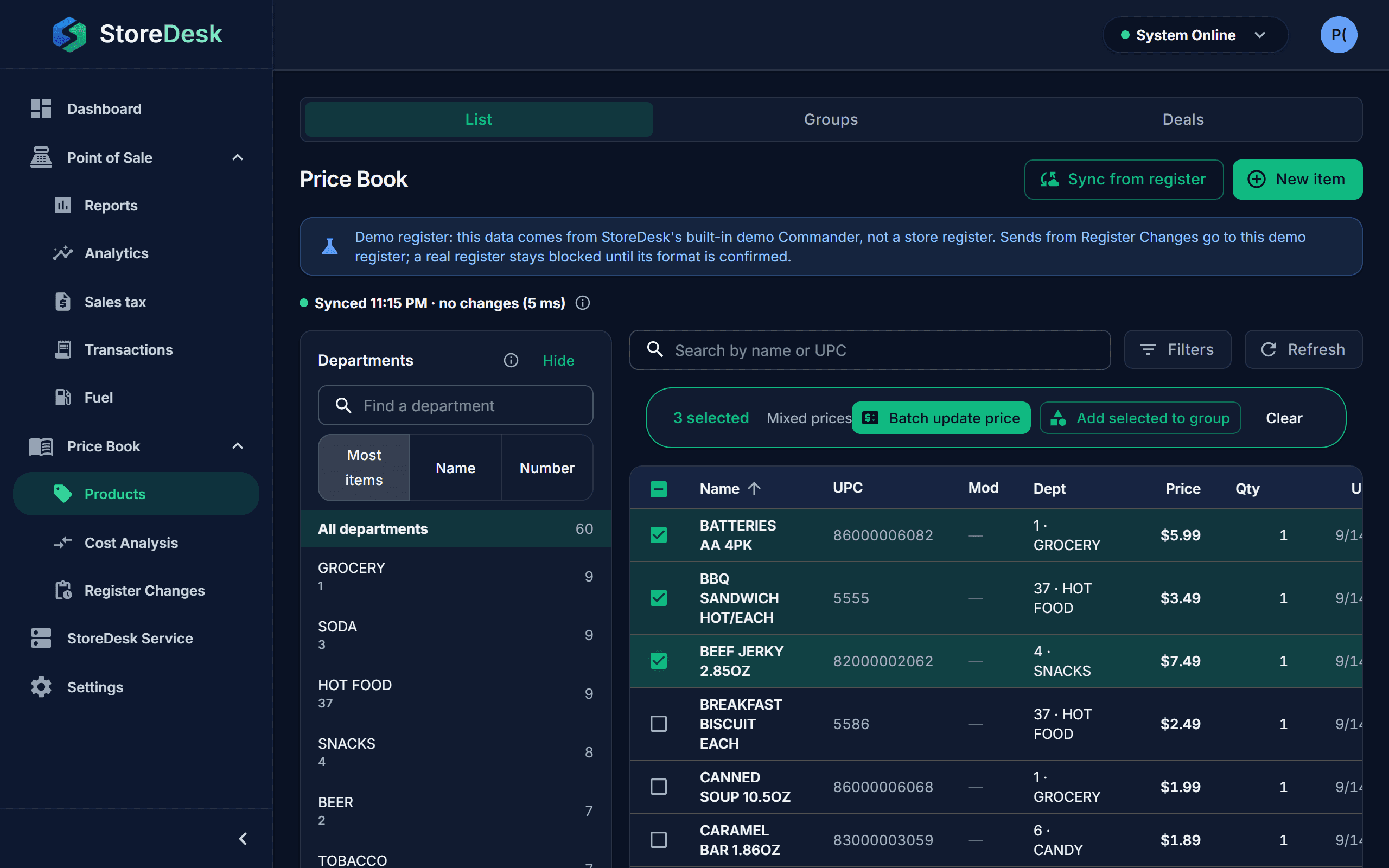
- Price book: every PLU from the register. Search, edit an item, add one, change a group together.
- Supplier costs: each supplier's price per unit, cheapest first, with the margin.
- Register changes: send an item change to the register. Checked first, read back after.
- Sales: daily, shift and monthly reports, single transactions, each item's sales history.
- Fuel: grades, pump prices and what each grade sold.
- Deals: the multi-buys running on your register.
- Sales tax: the Georgia ST-3 worked out, as a file you upload yourself.
- Google Sheet: daily sales written to a sheet you own.
- Users and roles: staff accounts, and which screens each role opens.
- Lottery: the days StoreDesk Lottery sent, if the store runs it.
The sum it does on every item
Shelf price, minus the cheapest cost of one. Try it with an example item.
Pick an example item
What each supplier charges, cheapest first
Wholesaler ACheapest
$27.36 for 24
$1.14 each
Distributor B
$28.80 for 24
$1.20 each
Cash and carry
$15.48 for 12
$1.29 each
Margin
54.2%
$1.35 on each one sold. Healthy.
This is the register price. Drag to try another.
Example items and suppliers. In StoreDesk these come from your register and your invoices.
Before you start
- Who uses it
- The owner and managers. Each person sees only the screens their role allows.
- How it connects
- Talks to StoreDesk Service on the same PC.
- Needs no internet to run the store.
- What you need
- Windows 10 or later.
- Comes with StoreDesk Service, in one installer.
- One licence per store.
- Not built yet
- Sending deal and fuel price changes to the register. Change them on the register for now.
- Supplier invoices by EDI, so costs arrive without typing. Planned.
The other StoreDesk apps
- StoreDesk MobilePrices, sales and scanning on an Android phone, in the aisle or away from the store. iPhone coming soon.
- StoreDesk ServiceThe background program on the store PC. It keeps your data and talks to the register.
- StoreDesk LotteryThe instant-ticket rack and the shift close, on the lottery counter PC.